• Skip to main content
  • Skip to primary sidebar
  • Skip to footer

JOIN ME ON

  • Bloglovin
  • Facebook
  • Instagram
  • Pinterest
  • Twitter
  • YouTube

HoJo's Teaching Adventures, LLC

Fun, Engaged, Impactful Relationships & Learning

I LOVE FREE THINGS!

  • Home
  • Shop
    • My Account
    • My Downloads
    • My Cart
    • Checkout
  • Blog
  • About HoJo
  • Email

TEST

TEST

8 Comments

Teaching Portfolio How To & Tips

Have you considered making a teaching portfolio to showcase your success as a teacher? Then check out this guide to making one!

This post was most recently updated in January 2019.

Looking at some of these pictures, I cringe at my font choices and the types of resources and downloads I was creating. But this post was written in 2012 using the portfolio I had used in 2011. Trust me – if I am going to apply for another teaching job, I will create an updated teaching portfolio. It’ll be a bit prettier and more relevant! 🙂 But I still feel the information presented below is relevant!

tips to create a teaching portfolio

I am not saying this will guarantee you a job, but I have found mine to be VERY useful! Sometimes I have trouble answering those questions of “Tell me a time when you…” I don’t always know what to say!! Well, now I can have my portfolio speak for me!

Your Portfolio Cover & Whether to Go Digital

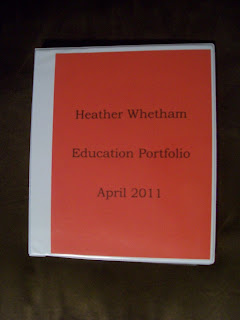
This is the very simple cover page. I guess I could do more with it, but I’m more interested in showing them my teaching skills than dazzling them with my computer skills. (Now if I were applying for a school where technology is HUGE that would be different!!)

I also used to have an electronic portfolio but that one honestly was NEVER shown. Maybe South Dakota (my home state) is a bit old-school yet and likes true portfolios… Either way, I feel it is worthwhile to make one and take with you to the interview. You never know when it may be helpful! Plus – once you take the time to create it once, all you’ll have to do is quickly update it for the next interview, even if it is years down the road. {Trust me, been there – done that!} 🙂
cover

Portfolio Overview Page

The very first page is an overview of the portfolio. I use the same layout for this sheet as I do for my resume, simply to keep things looking sharp.
Very few administrators have read this while I am there. However, I always give them the option of keeping it – which most have done. My assumption is that they will have more time to read this page if they hang on to it.
The body of my portfolio is set up like this: enclosed are samples of lessons I have taught from grades ____; also enclosed are parents letters, class activities, evaluations, etc; tell them where to find my online website; and thank them for their time


example front page

Breaking Up the Subjects
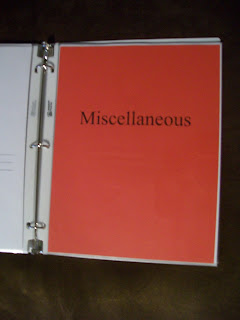
I have a heading page for each subject/division in my book. I use the same color paper throughout just to keep it looking neat.
binder tabs
Within each section I include 2-6 examples of activities I have done in my classroom. I try to include items that would be a better fit for the job. (i.e. Include lower elementary examples if you are applying for 1st grade, not your middle school materials!)
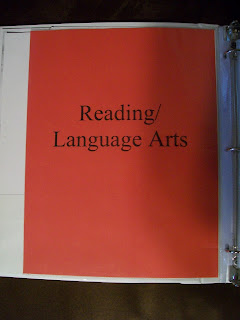
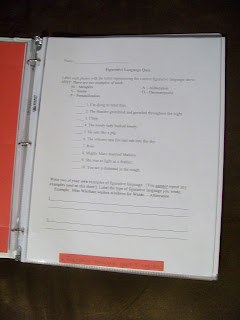
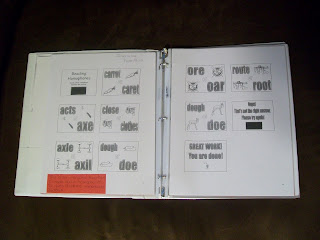
Included in my Reading/Language Arts tab I include a quiz I created over a novel, figurative language worksheets I have created, PowerPoints I have made to show how I incorporate technology, and others.
example quiz I created that I can show


an interactive PowerPoint quiz I created


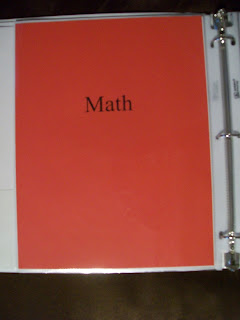
math binder tab - keep it simple!
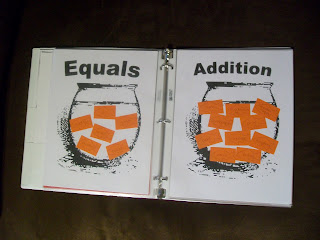
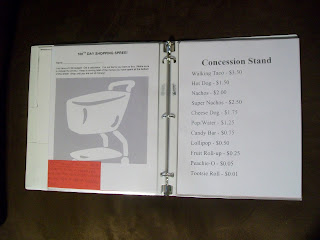
For math I show these fishbowls I use with test prep, worksheets I have created, and others that apply.
a fish bowl math activity I included in my portfolio


a 100th day of school activity


science portfolio tab
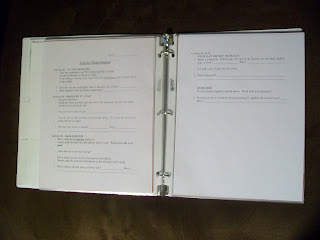
In Science I show different experiments I have done and a worksheet that incorporates science and language arts. This shows that I can combine activities to fit a variety of standards while making learning fun!
a science experiment I did


social studies tab
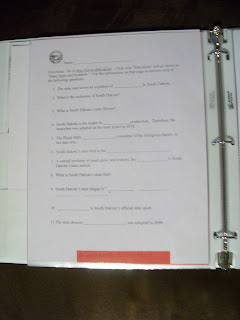
In Social Studies I show a webquest I made, a state project I did, and a final project I created using differentiated project choices for the students. The point is to show how versatile I am!


a webquest I created


misc tab

Classroom Pictures Are Your Friend!
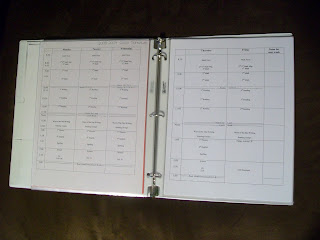
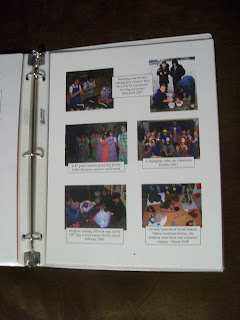
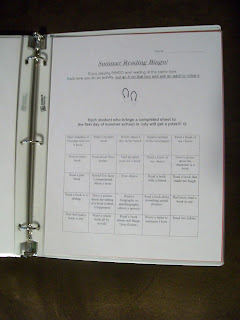
The Miscellaneous tab gets a bit busy. Here are some things I have included in the past: summer reading logs, lesson plan layouts from past years to model my organization, and PICTURES!
I feel pictures REALLY show what my classroom “looks” like. It shows the amount of activities I do, and these are what I find myself most often referring to during the interview. It is perfect for those “Tell me about a time you ______” questions!
lesson plan template example


classroom pictures are a MUST - these have always been looked at more than anything else I've included


summer reading sheet


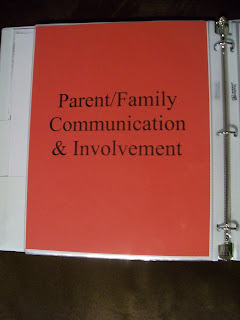
parent & family communication and involvement tab - this shows that I keep everything informed
In the Parent/Family Communication section I include newsletters I have sent home to family. It shows that I keep communication open with them!
record keeping sheet


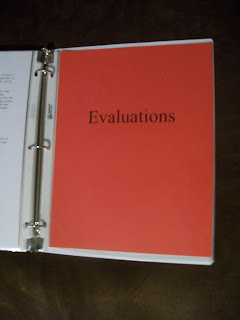
copies of my evaluation
Finally, I include copies of evaluations I have had done in the past and letters of recommendation. **These are almost always left at the site of the interview!** Typically the person conducting the interview asks me to leave these for them. About half of these folks have asked me to leave the portfolio, and I don’t always get these back.
The biggest tip I have when making a portfolio is to make more than one copy! Always keep an original because you never know when a copy may be left at the school. (Trust me, I had to hunt down all of those lessons a second time after an administrator asked to hang on to it! I was in panic mode with an interview the next week!)
~~~~~~~~~~~~~~~~

5/24/2012 update –

I had a wonderful reader send me an e-mail with the following tips:
  • If you bring a student-teaching portfolio, don’t just offer it for the interview team to look at. USE it to demonstrate your experiences.
  • Examples:
    • Using the writing process, this is a time when the students were revising – have page bookmarked and show examples (pictures or student samples.)
    • This is a time when I used “x” as a manipulative – we did _____ using “x” to explore and make an inference. Show pictures or student work to support.
  • ***Use the portfolio to show specific examples of specific lessons, rather than – “This is what I did during my student teaching. Take a look.” It is a lot more powerful if you use it to support specific experiences that you taught.
  • Thank you to Ellen Klein for this information! She is a 5th grade teacher who has sat in on many different interviews over the years.
 
~~~~~~~~~~~~~~~~
Like this post?
Check out these other popular posts from HoJo’s Teaching Adventures.
Click on any of the pictures that interest you! 


~~~~~~~~~~~~~~~~
 
Alright, I hope this “tutorial” was at least somewhat helpful to you! If you are looking for some potential interview questions, go here.
Please share your tips on getting a new teaching position or any other teaching portfolio ideas you have in the comment below!
Good luck with your job search!
~HoJo~
"Tips to Create Your Own Teaching Portfolio" with Mrs. Fergen's binder on the front

Filed Under: Interview, new teachers, portfolio

Previous Post: « Positive Postcards!
Next Post: AHHH! State Testing!! »

Reader Interactions

Comments

  1. Elephant Hiccups says

    March 8, 2012 at 4:29 am

    Love this fantastic idea! Any tips for a resume layout for a recently graduated teacher?

    Reply
  2. ~HoJo~ says

    March 8, 2012 at 1:42 pm

    I had already thought about that! I will try to post some examples from what I've done in the past to help you out… 🙂

    Reply
  3. vicky1970 says

    March 8, 2012 at 2:36 pm

    Hi there, Great blogs and great tips. I didn't know they were still doing these…they aren't on line yet? I remember doing these 18 years ago…crazy. I still have mine. Love your blog and glad I stopped by. I'm your newest follwoer. :o)
    Vicky
    Traditions Laughter and Happily Ever After

    Reply
  4. Anonymous says

    March 8, 2012 at 2:37 pm

    Those are some great tips for getting started on a portfolio. I keep putting off the inevitable… Well done!

    Reply
  5. ~HoJo~ says

    March 8, 2012 at 10:27 pm

    Thank you for the great comments! I had an online one after college, but I have found that here in South Dakota people are more willing to look at this hard copy than anything else. I bet each state/district is different though!

    Reply
  6. TheUnlostWanderer says

    May 24, 2012 at 2:30 pm

    I actually have just finished my student teaching and graduated a couple weeks ago (My teaching certificate was just made valid yesterday, woo!) I've had a general interview with an admin for the district I student taught, and she did tell me to make sure I always have a portfolio at interviews, so this post really did help a lot! I have put one together, but now realize I need to go back and change some things. Hopefully I'll get calls about interviews soon and it will come in handy!

    Reply
  7. ~HoJo~ says

    May 24, 2012 at 3:51 pm

    I'm glad this was helpful to you! Best of luck with your job search. =)

    Reply
  8. Natasha Williams says

    March 28, 2022 at 8:30 am

    This is so helpful! I will start creating mine now, since you never know when the next opportunity will strike! This is such a helpful guide.

    Reply

Leave a Reply Cancel reply

Your email address will not be published. Required fields are marked *

Primary Sidebar

Best Sellers

Connect with Me

Bloglovin Facebook Google + Instagram Pinterest Twitter YouTube My TPT Shop Image Map

My Personal Blog

FUN. ENGAGING. IMPACTFUL.

click to explore the many amazing resources so many kids have already enjoyed!
Learn More

Footer

Thank you For Visiting!

  • Home
  • Shop
  • Freebies
  • Contact
  • Bloglovin
  • Facebook
  • Instagram
  • Pinterest
  • Twitter
  • YouTube

SUBSCRIBE TO OUR NEWSLETTER

Sign up and get addition freebies delivered directly to your inbox!

  • Privacy Policy
  • Shop
  • Freebies
  • Contact

Copyright © 2021 · BRANDING + WEB DESIGN BY LAUGH EAT LEARN

This website uses cookies to improve your experience. We'll assume you're ok with this, but you can opt-out if you wish.Accept Read More
Privacy & Cookies Policy

Privacy Overview

This website uses cookies to improve your experience while you navigate through the website. Out of these, the cookies that are categorized as necessary are stored on your browser as they are essential for the working of basic functionalities of the website. We also use third-party cookies that help us analyze and understand how you use this website. These cookies will be stored in your browser only with your consent. You also have the option to opt-out of these cookies. But opting out of some of these cookies may affect your browsing experience.
Necessary
Always Enabled
Necessary cookies are absolutely essential for the website to function properly. This category only includes cookies that ensures basic functionalities and security features of the website. These cookies do not store any personal information.
Non-necessary
Any cookies that may not be particularly necessary for the website to function and is used specifically to collect user personal data via analytics, ads, other embedded contents are termed as non-necessary cookies. It is mandatory to procure user consent prior to running these cookies on your website.
SAVE & ACCEPT